
Designing the world
Turn geography into cells, actors, landmarks, and meaningful spatial choices.
Start with decisions, not coverage
Your board only needs the places and characters that can change what a player knows, attempts, protects, reaches, or loses. You do not need every city, road, or historical figure. Add a cell, entity, or landmark when it gives someone a reason to act.
Rome: Republic at War needs the Aeduan heartland because alliance there can change Caesar's campaign. It does not need every village between Rome and Gaul. One well-chosen cell or landmark can carry the decision-making weight of a much denser map.
Place entities and landmarks
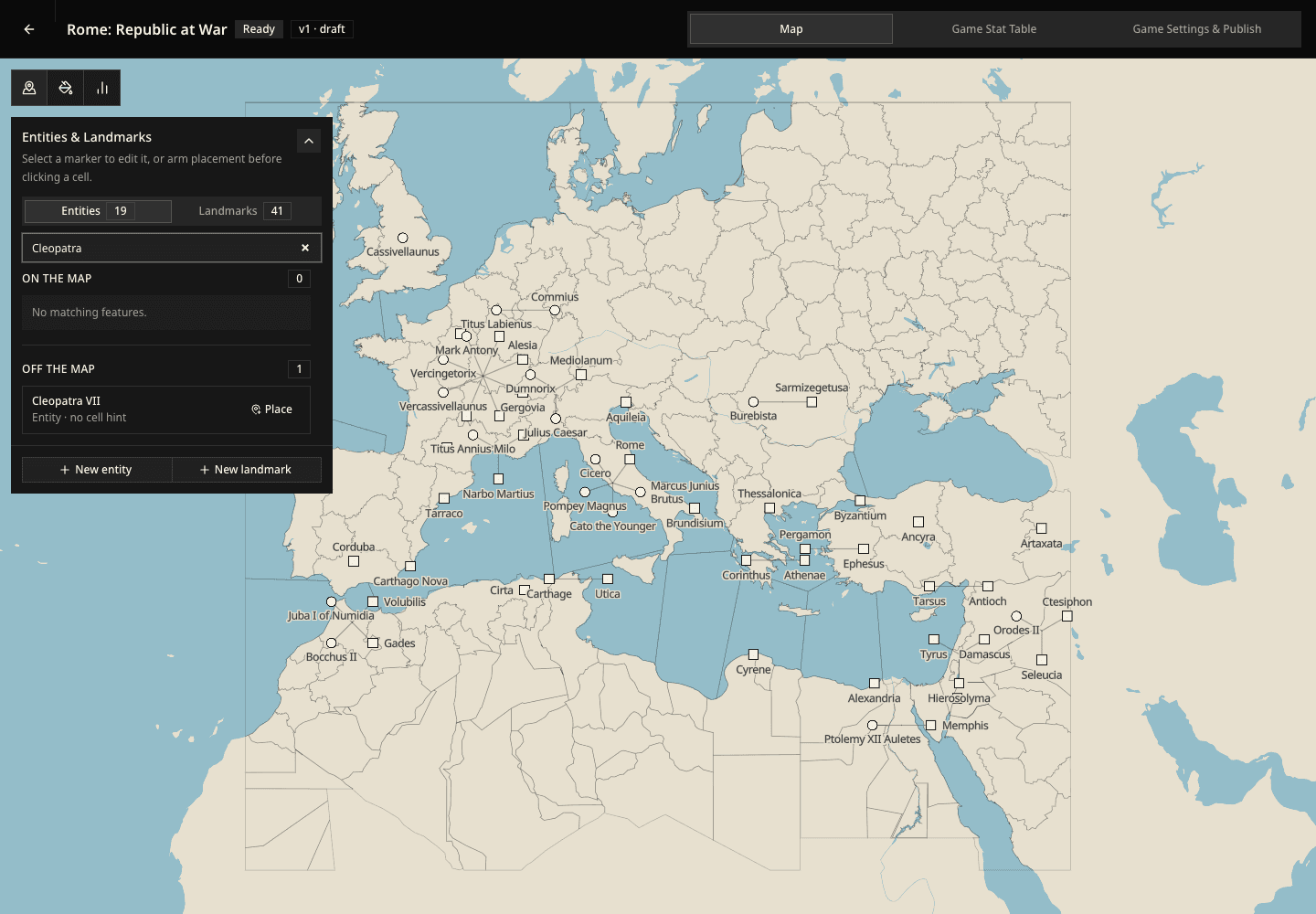
Open Entities & Landmarks when you want to work on who and what occupies the board. This mode keeps placement and identity clear instead of coloring markers by a stat.
Entities and landmarks follow the same basic workflow:
- Open the matching tab and create it.
- Place it on the map or, for an entity, keep it Off the map until it should enter.
- Select its marker or its name in the list to edit it.
- Move it, change its starting values, or remove it from the map.
Entities can move and act
An entity can be a person, army, group, creature, ship, or any other actor that can change location and make choices. Give it a distinctive name and, when useful, a short description that explains who or what it is in your game. Descriptions are optional and can contain up to 500 characters.
An entity may also begin Off the map. Use that for someone who can enter later rather than someone players should meet immediately.
Landmarks stay in one place
A landmark is a named fixed place: a city, fortress, temple, port, estate, ruin, or strategic crossing. Several landmarks can share one cell when they represent different playable places inside the same area.
Do not use a landmark for a region; that is a cell. Do not use a landmark for an army or ship; those are entities.
Removing is not deleting
Remove from map keeps the entity or landmark in your game and moves it into the Off the map list. Choose Place, then click a new position, to bring it back.
Delete an entity or landmark only when you no longer want it in the game at all.
Shape the starting state of cells
Cells are the fixed areas that divide your board. Select a cell to name it and edit its values. Use the painting tools when several neighboring cells should receive the same value.
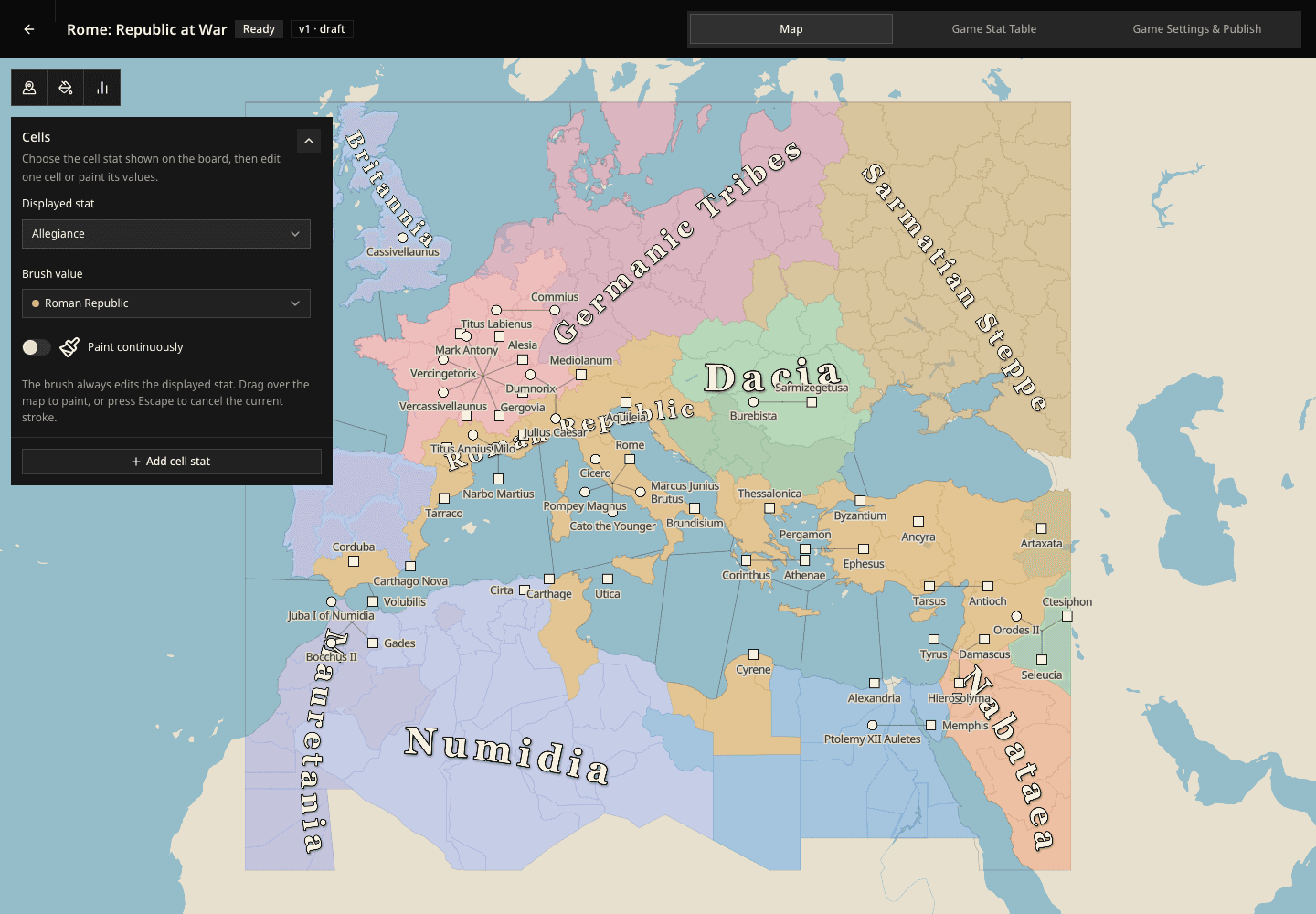
The lines created during board generation define the world's fixed geography. They do not assign countries, sovereignty, or political borders. Paint a cell stat such as Allegiance or Control when you want to show who holds each area; the edge between different values becomes the political border players see.
If you import an Azgaar map, its political affiliation is already stored in the State stat. You can edit or paint its values just like any other cell stat.
Under Displayed stat, choose the cell stat you want to see and edit. Then:
- choose a Brush value;
- turn on Paint continuously;
- drag across the cells you want to change.
The brush always edits the displayed stat. Choose No value as the brush value when you want to clear that stat from selected cells. Choose None under Displayed stat when you do not want a cell layer on the map.
Cell names should be unique and meaningful inside the game. They are how the world refers to space when it explains travel, territorial change, and events far from the player.
Use cell stats for spatial truths such as allegiance, terrain, danger, prosperity, unrest, supply, or any other value whose location is the point.
Edit the fixed shape of cells
Use Edit cell geometry only when the board's fixed areas need correction. The menu provides five separate operations:
- Draw a new cell carves a named area from the current board.
- Edit selected boundary moves vertices while preserving shared borders.
- Split selected cell draws a line that creates smaller cells.
- Merge cells combines neighboring cells into the selected cell.
- Delete selected cell removes that cell and transfers its complete area to an adjacent cell.
Select the cell first when an operation needs a target. In the boundary editor, drag the map handles, review the resulting outline, and select Save only when the area still represents one meaningful place.
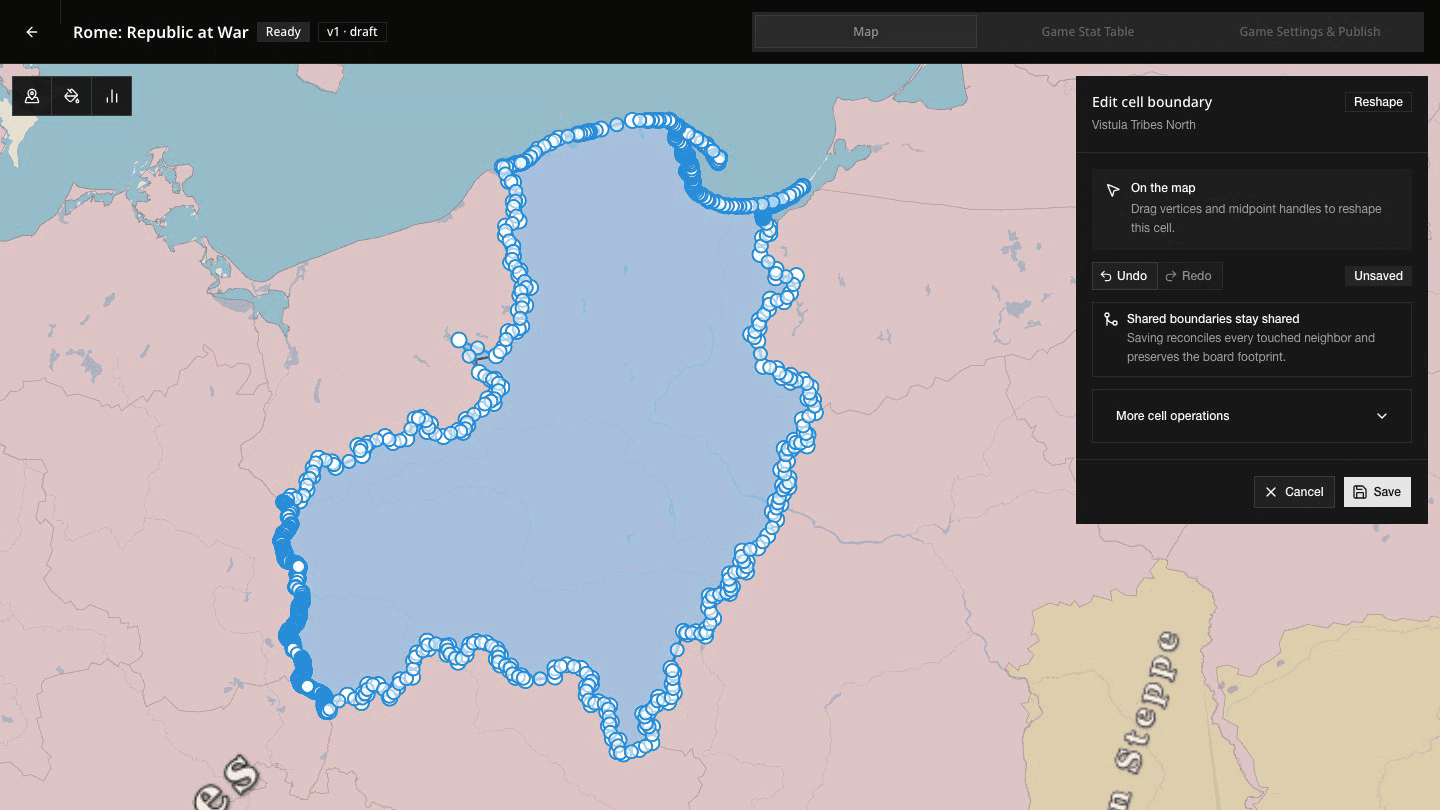
Cell shape is geography; cell values are state. Reshape a cell when the area itself is wrong. Paint Allegiance or another stat when control changes. A political border is the visible edge between values, not a separate line to draw.
Compare stat layers on the map
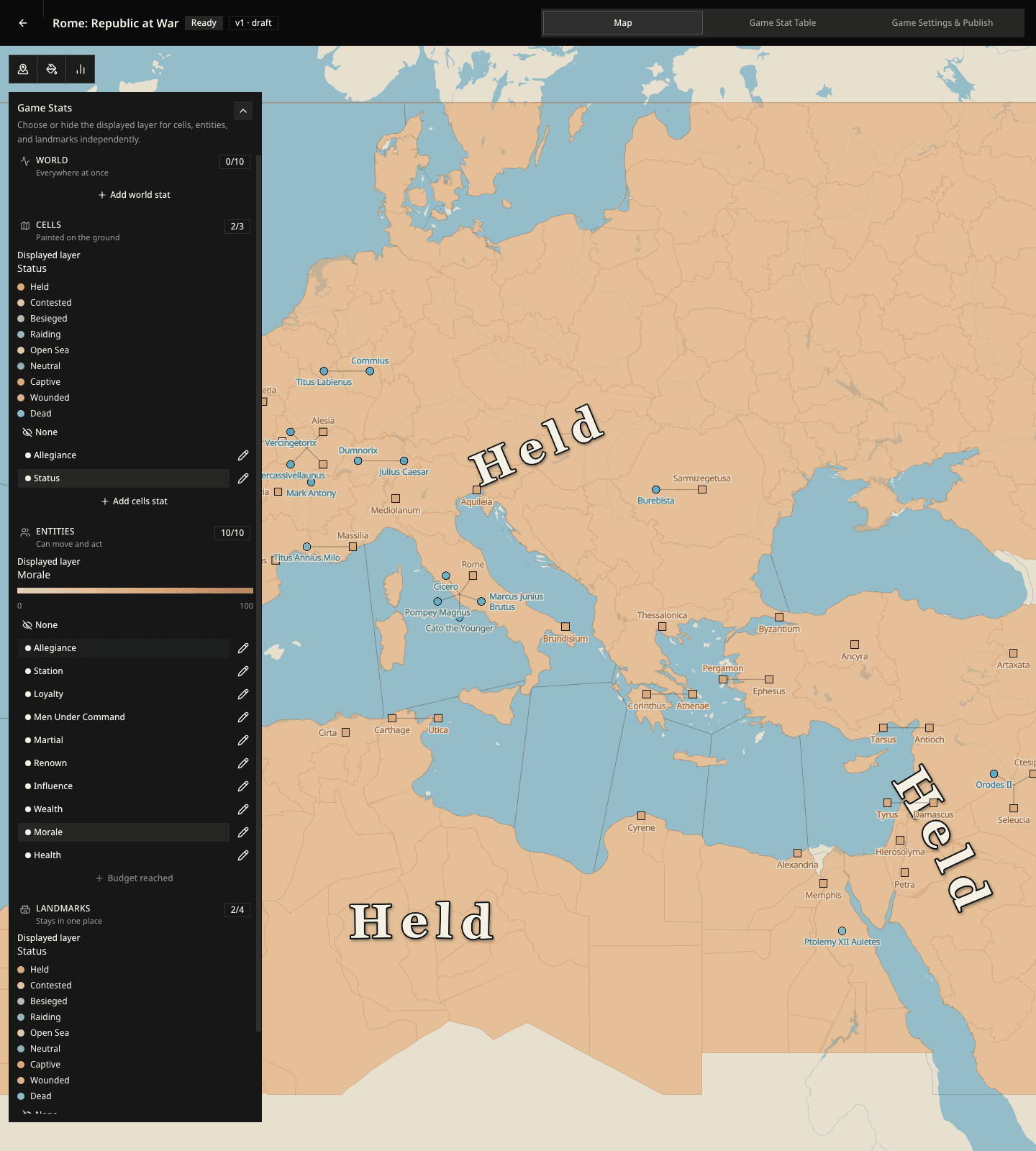
Open Game Stats to compare starting values visually while you work.
Cells, Entities, and Landmarks each have their own displayed layer. You can choose Allegiance for cells, Morale for entities, Status for landmarks, or None for any of the three. Changing one does not replace the others.
The Cells choice is shared with Displayed stat in Cells mode. Select it in either place and the other control follows, so the color layer and painting tools always refer to the same cell stat.
Text stats remain available in editors and the Game Stat Table, but they do not become color layers. World stats have no map position, so you edit their starting value in the World section instead.
A colorful layer is not automatically a useful system. If changing a stat would never affect a choice, event, movement, or rule, remove it or turn it into ordinary description.
Check the opening map
Before moving on, verify:
- at least one entity begins on the map so the opening world has a placed actor and can be published;
- fixed places are landmarks and mobile actors are entities;
- off-map entities and landmarks are there intentionally and can enter later;
- cell names are unique and readable;
- every displayed layer reveals a useful pattern;
- cells, entities, or landmarks can begin with No value when a stat is not initially relevant to them;
- the opening map already contains at least one visible tension.