
Publishing your game
Complete your game settings, pass readiness checks, and release a new version.
Turn your draft into a game players can enter
Game Settings & Publish connects the world you built to the promise players see. Use it to explain the situation, choose when play begins, set a consistent visual direction, and confirm that the opening world is ready.
Complete the game settings
Name and subtitle
The name identifies your game. The subtitle should state its conflict or fantasy in one direct sentence. Together they need to make sense on a Showcase card without extra explanation.
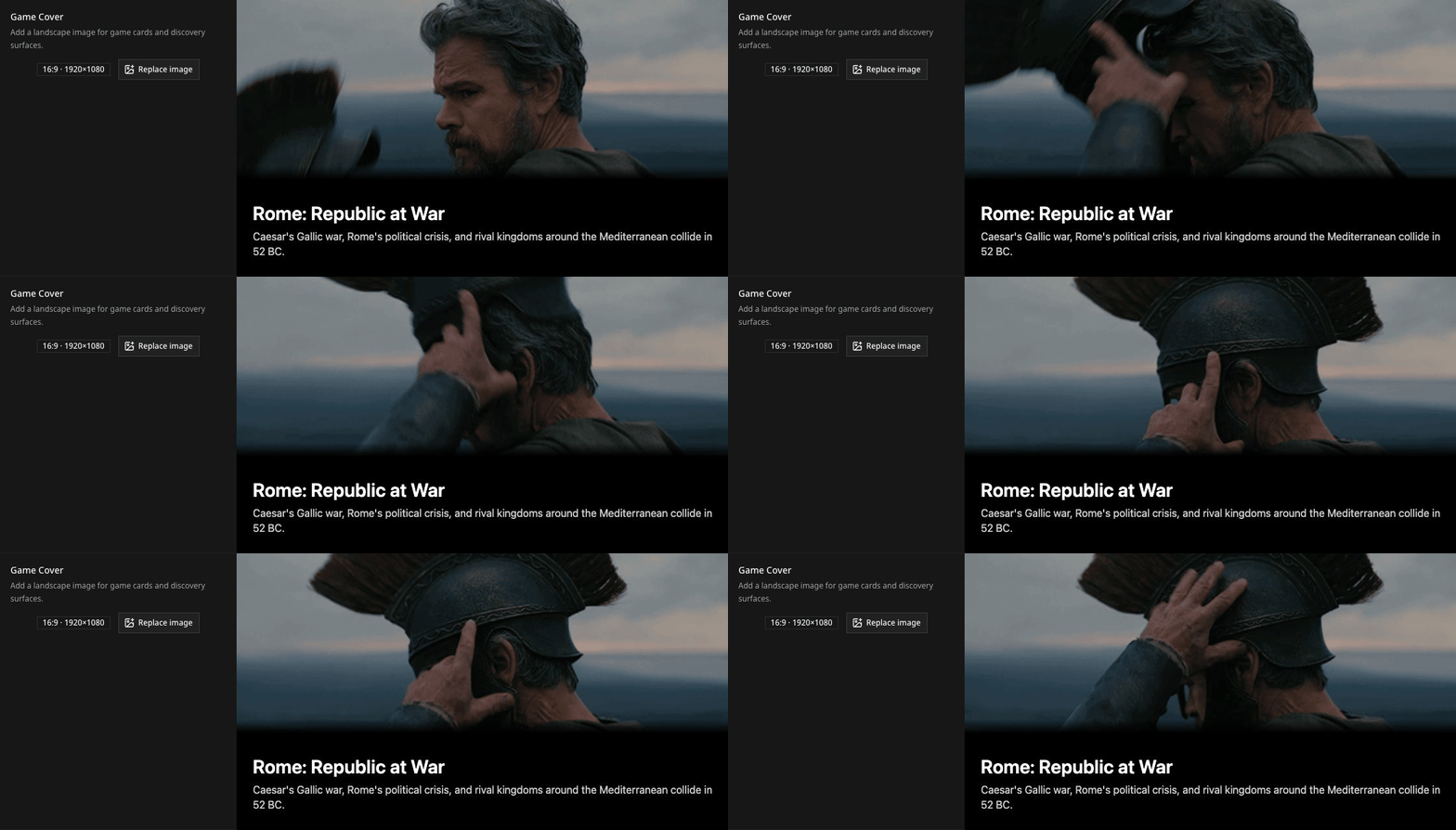
Game Cover
Use a landscape image or animated GIF with a clear focal point and enough contrast for the title overlay. Davia preserves a GIF's animation after adapting it to the 16:9 cover format. The preview shows the card treatment players will see.
Premise
Describe the concrete situation immediately before play begins. Name the time, pressure, and open conflict. Leave the player's response open.
When the Game Begins
Set the initial date and time used whenever a player starts this version. The calendar supports historical eras, including BCE dates.
World Description
Explain what a new character already lives inside: geography, factions, institutions, customs, dangers, and the limits of the setting. Keep turn-one secrets out of this section when players should discover them through play.
Simulation Rules
Describe the global logic that connects actions, stats, time, and consequences. See Stats and rules for a practical design method.
Choose an optional visual direction
The Optional Settings tab provides visual style presets and a text field for refinement. Choose the direction that fits the game, then describe the qualities that should stay consistent across future images: medium, lighting, palette, materials, and degree of realism.
Visual direction changes presentation, not how the world behaves. Clear rules and a meaningful starting state still come first.
Complete Publish Readiness
The footer checks nine requirements:
- game name;
- public subtitle;
- premise;
- world description;
- Simulation Rules;
- starting moment;
- a board with cells;
- at least one entity placed on the map;
- game preparation is complete.
When all nine are ready, Publish becomes available.

Publish when the whole opening world is ready
Selecting Publish makes that version available to new players immediately. There is no separate review queue, so inspect the game as a complete starting world before you release it.
Before publishing:
- Inspect each map layer for missing or accidental values.
- Confirm that at least one entity begins on the map.
- Check that off-map entities and landmarks are absent intentionally.
- Read the premise, stat instructions, and Simulation Rules together for contradictions.
- Confirm that the cover and subtitle make the game recognizable in the Showcase.
- Save changes, review Publish Readiness, then publish the version.
Keep live games stable with versions
Publishing freezes that version. New players can start it, and existing games keep the exact version they began with.
When you want to change the map, stats, rules, or settings, create the next version from the Creations page. The live version remains available while you prepare the new draft.
Treat every version as a complete starting world. A small change to a default, where a stat applies, or a rule can affect many characters and places at once.
Test the published experience
After the first publication, start the game yourself. If it offers several starting characters, test at least two of them. Confirm that each begins from a meaningfully different position and that the first choices match the promise on the Showcase card.
If you find something to improve, leave the published version intact and create the next draft. Players already inside the game keep their world unchanged.