
Your first game
Build and publish one small playable world, step by step.
What you are making
Build the smallest game that proves the whole Davia loop works. You need one compact board, one entity a player can become, one landmark worth visiting, one cell stat, one entity stat, one world stat, and enough rules to make the opening situation respond.
Do not begin with your largest idea. This first pass is a working slice you can play, inspect, and improve.
This page gives you one exact path. When you understand the flow, use How a game is built for the deeper model and the Creation Hub tour to learn the full workspace.
Generate a compact board
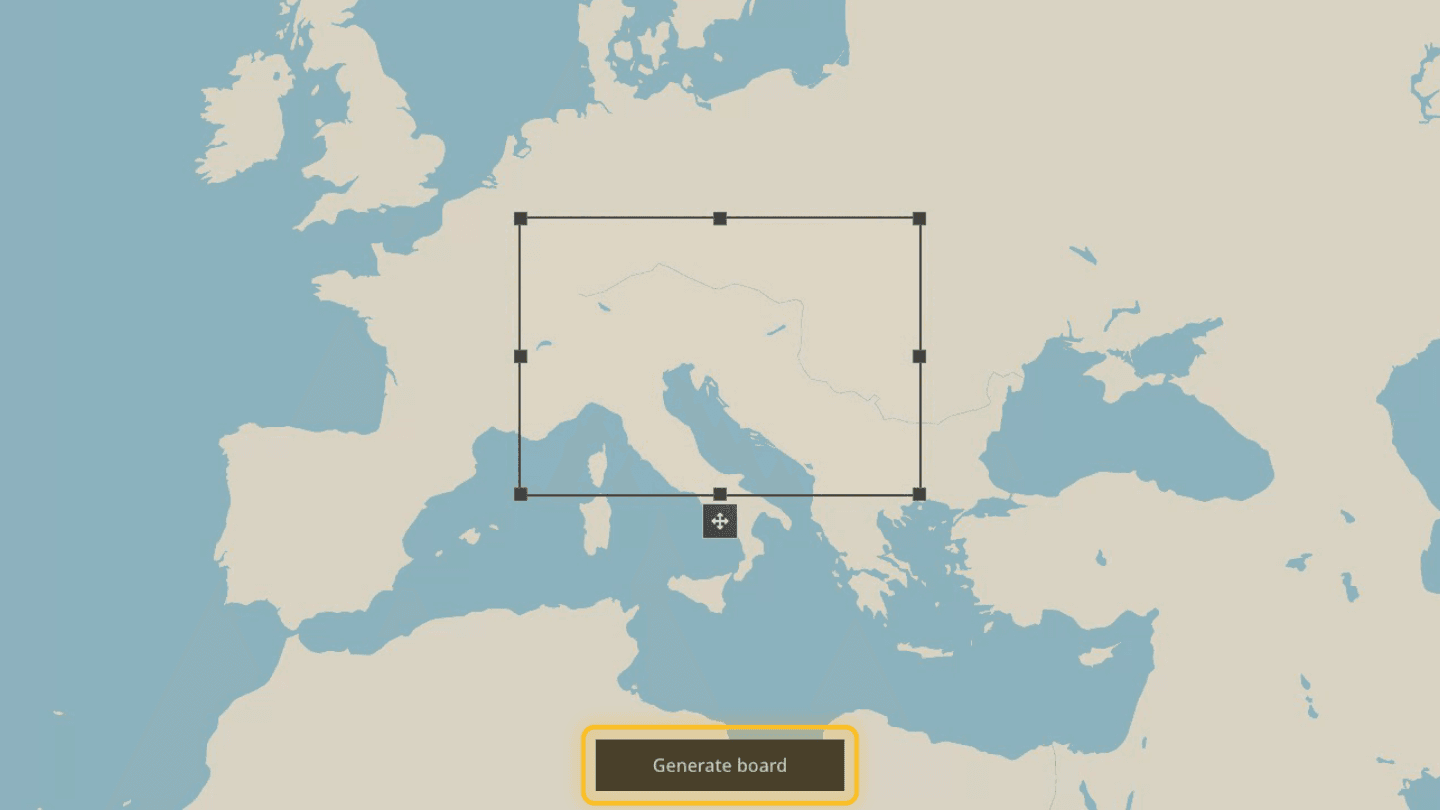
From Creations, select New Game, then World map. Search for the place where your opening conflict happens, then resize the frame around only the area characters need at first.
For an imagined world or an existing Azgaar map, follow the Map Generator guide. This walkthrough continues with a real place.
Select Generate board. When the cells appear, inspect the coverage and select Use this board. Choose Adjust board instead if the frame includes too much empty geography or misses an important route.
Once the board opens in the Creation Hub, select two or three important cells and give them short, distinct names. Leave the rest for later; the goal is a playable opening, not a finished atlas.
Know where each task lives
The Creation Hub has three main views:
- Map places actors and landmarks, edits cells, and previews colored stat layers.
- Game Stat Table creates stats and compares starting values across the whole game.
- Game Settings & Publish explains the player promise, sets the opening moment and rules, and shows what remains before publication.
You will move between these views. They edit one starting world rather than three separate systems.
Add the first playable entity
Open Map, then Entities & Landmarks. Select New entity, give the actor a specific name and short visual description, keep Place on map selected, and choose Create & choose position. Click the actor's opening position on the map.
Every entity appears as a role on the launch screen. The map position says where that actor exists when the world begins; it does not create a separate “playable character” object.
Think of the entity as a noun. You create the actor here; later, you add entity stats as properties that describe that actor. Create a country or government entity only when you want it to appear as a selectable role.
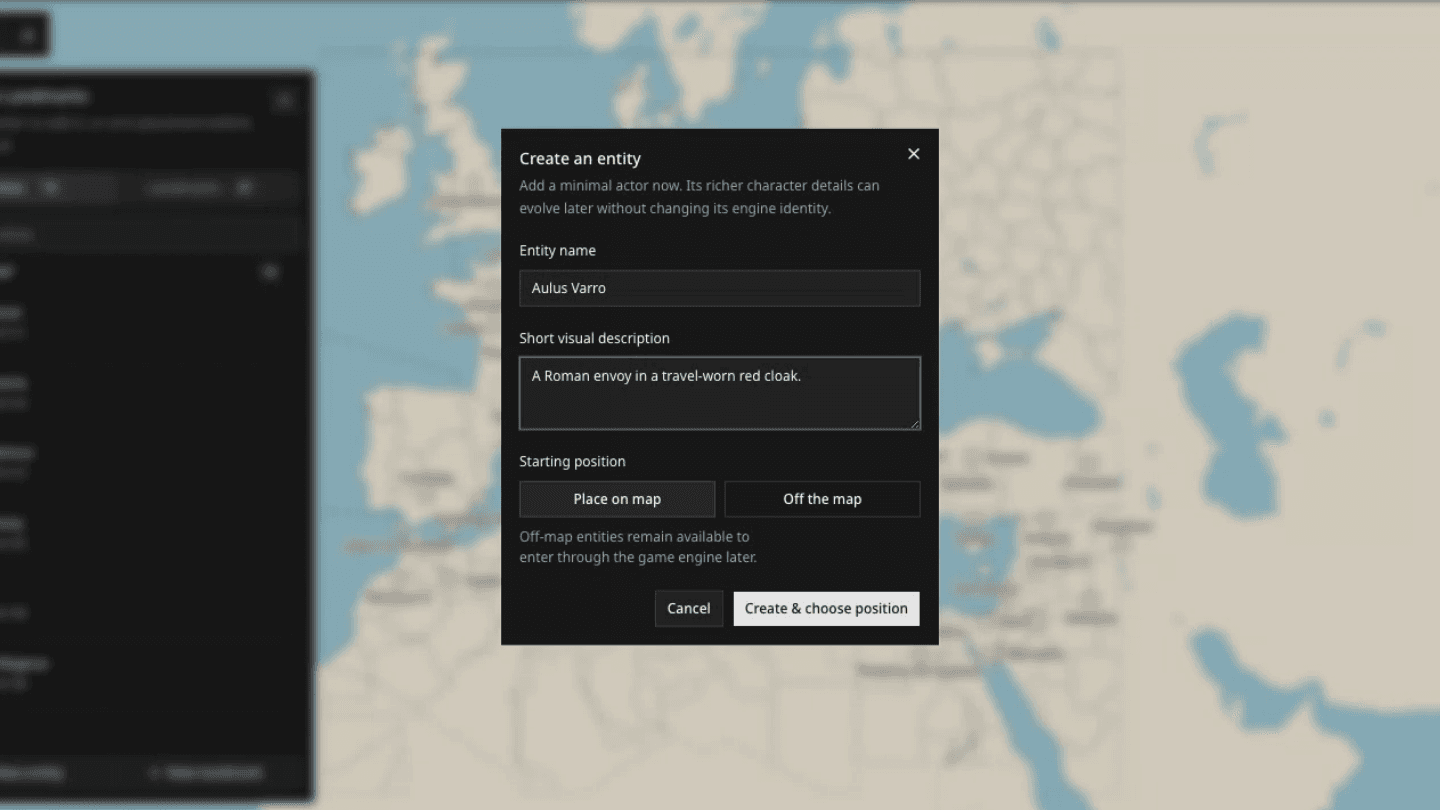
Off the map means the entity still belongs to the game but does not begin at a map position. Use it for actors who should enter later. Publication requires at least one entity on the map.
Add one landmark
Select Landmarks, then New landmark. Name a fixed place the first entity can visit, defend, lose, use, or transform. Place it inside the cell where it belongs.
A landmark is not a territory. A city, fort, port, temple, or ruin stays at one location; the surrounding area is a cell.
See Designing the world when you need off-map actors, several landmarks in one cell, or cell-shape tools.
Create three useful stats
Open Game Stat Table. In the Cells section, select Add stat column and create a State stat named Control with two named values, each with a distinct color. Leave the default off so you decide which cells have a starting value.
Use Tell the game how this value should change to write one clear rule, for example: “Control changes after occupation is secured, a surrender is accepted, or the current holder withdraws.”
In the Entities section, add a State stat named Resolve with two named values: Shaken and Steady. Set your first entity to Steady. You created the actor on the Map; here you are giving that actor one property the world can remember and change.
Then add one World stat named Tension with three named steps: Calm, Unstable, and Crisis. World stats belong to the whole game, so you set one starting value rather than painting them on the map. Start at Unstable and explain which events raise or lower it.
Keep one causal chain in view: the player attempts an action, your rules set the conditions for success, the relevant stats keep the result, and the Map or Game Stat Table makes that changed state visible.
See Stats and rules when you need Levels, Notes, shared stats, or defaults.
Give the board an opening pattern
Return to Map and open Cells. Choose Control under Displayed stat, select a Brush value, turn on Paint continuously, and drag over a few neighboring cells. Paint the opposing value nearby so the conflict is visible before the first turn.
Painting changes a stat. It does not redraw the cells themselves. The visible edge between two colors becomes the territorial border players read.
See Building factions and territory when several characters, armies, landmarks, and controlled cells need to belong to the same side.
Write the player promise and rules
Open Game Settings & Publish and complete:
- Name and subtitle — what the game is and the conflict inside it;
- Premise — the immediate pressure before the first action;
- When the Game Begins — the opening date and time;
- World Description — what a new character already knows;
- Simulation Rules — how movement, conflict, time, injury, control, and failure work.
Write rules that allow several outcomes. “The northern side wins” is a plot. “Control changes only after the current holder is defeated, withdraws, or defects” is a rule.
Finish Publish Readiness
Review the Publish Readiness card at the bottom of Game Settings & Publish. Davia checks the required text, opening moment, board, at least one placed entity, and game preparation.
When every condition is verified, save your changes and select Publish. Publication freezes that version for players. Future changes belong in a new draft version.
See Publishing your game for every readiness check, cover guidance, and version behavior.
Play one turn as your own test
Open the published game, choose your entity, and attempt something that should affect the landmark or painted cells. After the turn, check three things:
- Did the result follow the premise and Simulation Rules?
- Did the relevant stat or location change persist?
- Is the next decision clearer because of what changed?
If one answer is no, create the next draft and strengthen the smallest missing piece.